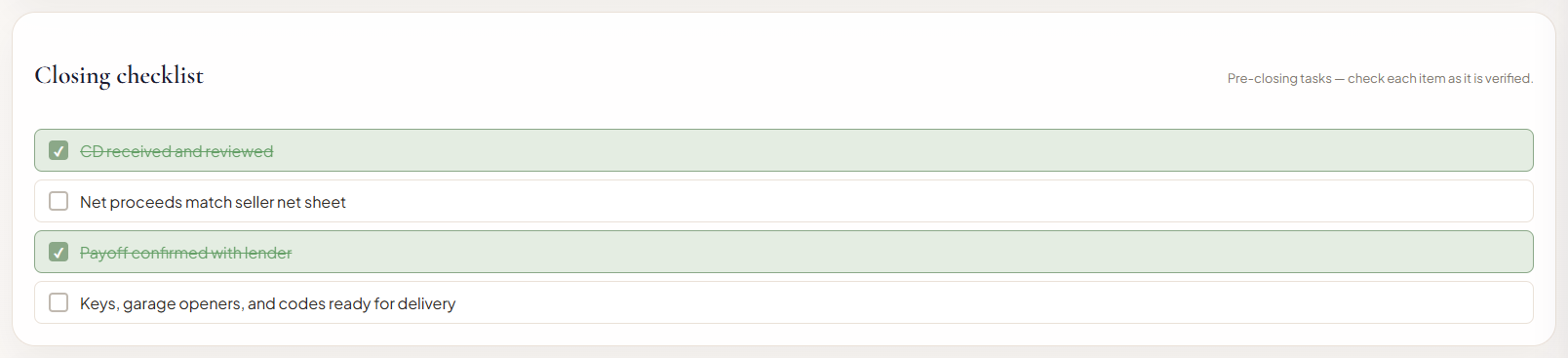
How Dossie Handles the Closing Checklist
A side-specific pre-closing checklist that stays visible in every dossier until every item is verified.
Read →
How Dossie Handles Closing Milestones
Every Under Contract, Clear to Close, and Closed milestone becomes a branded, privacy-safe card ready to share in one click.
Read →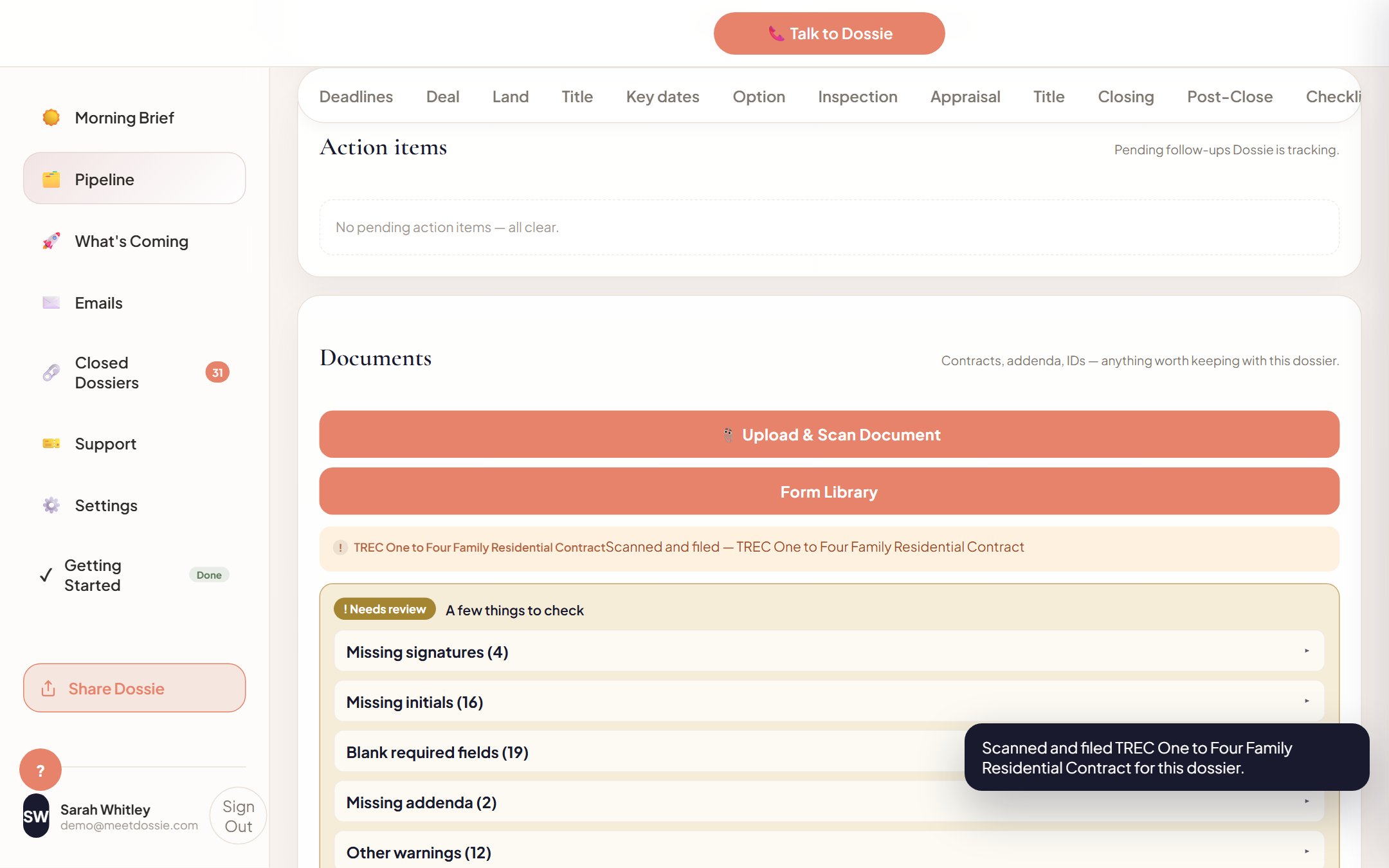
How Dossie Handles Contract Scanning
Reads the executed contract in about a minute and flags missing signatures, initials, and blank fields instead of guessing.
Read →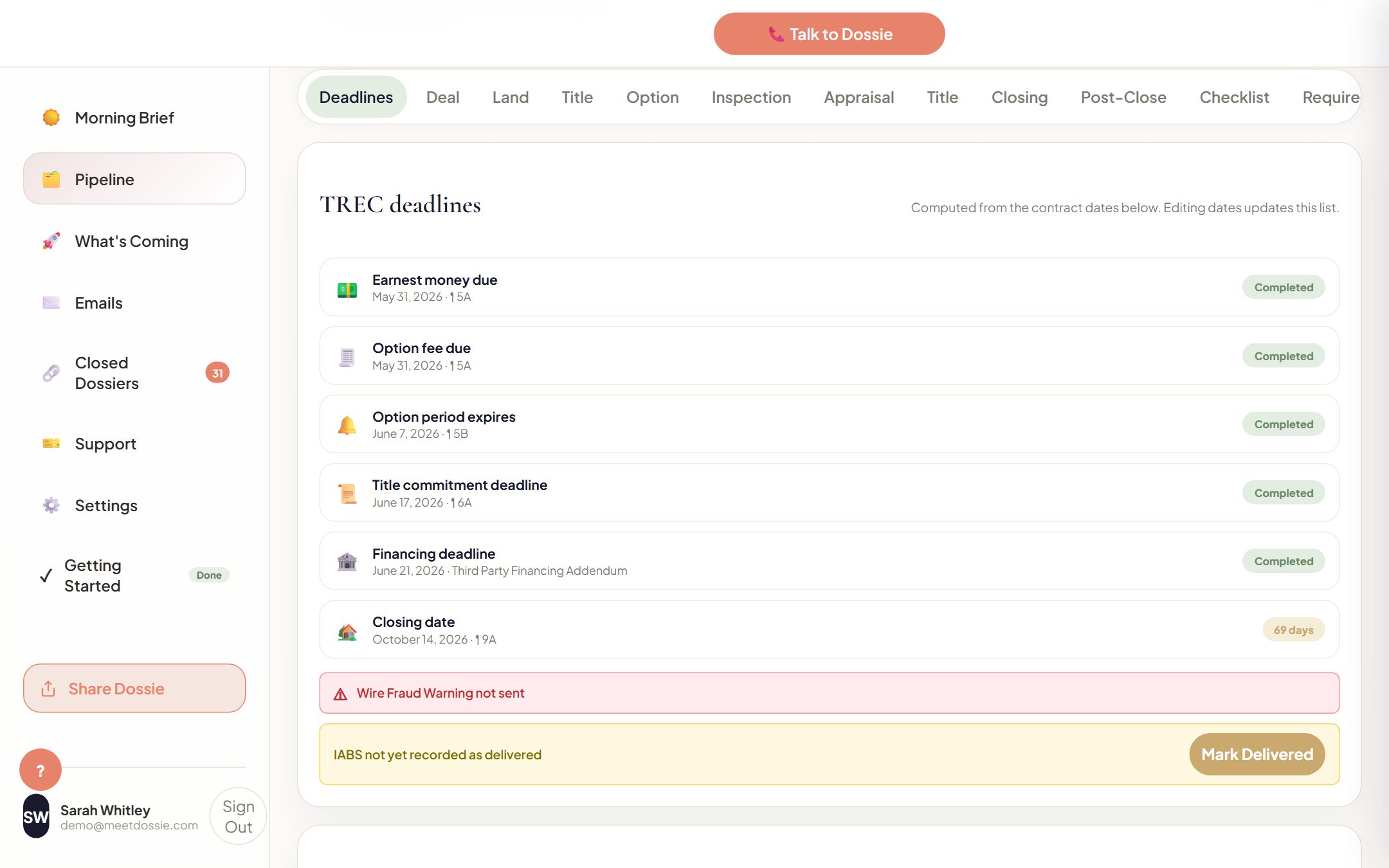
How Dossie Handles TREC Deadlines
Every TREC deadline computed automatically from the effective date, with wire fraud and IABS warnings surfaced.
Read →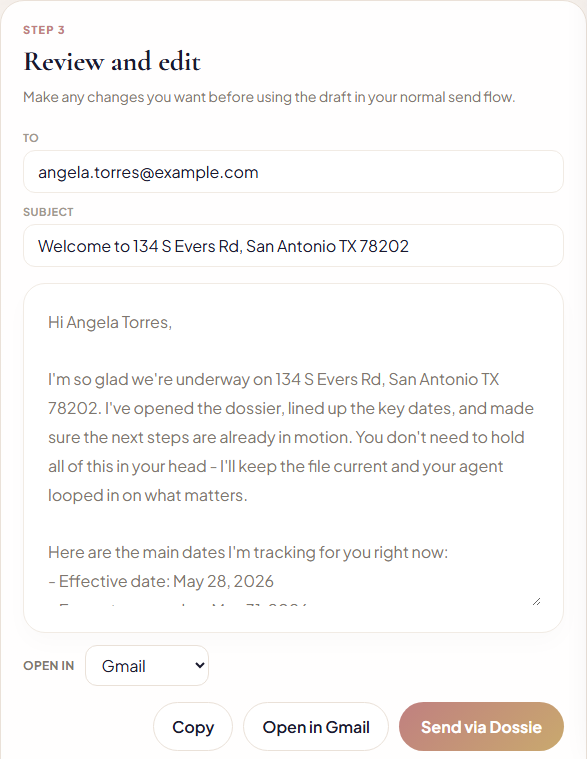
How Dossie Handles Email Drafts
Dossie queues the next email a file needs and pre-fills it from the dossier - property, dates, and names already written in.
Read →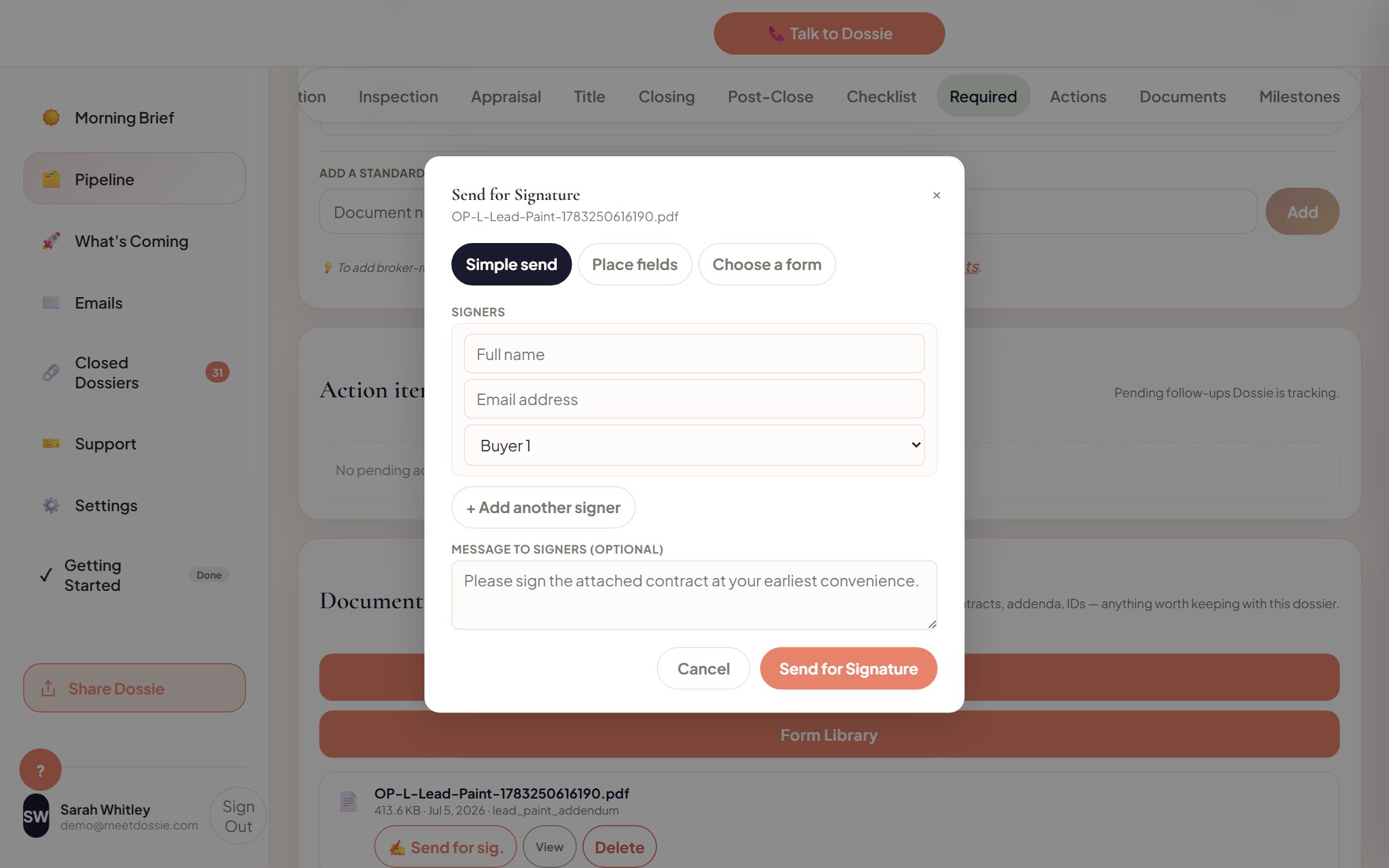
How Dossie Handles E-Signatures
Fill a TREC form from the dossier, send it for signature, and get the executed copy filed back on the deal automatically.
Read →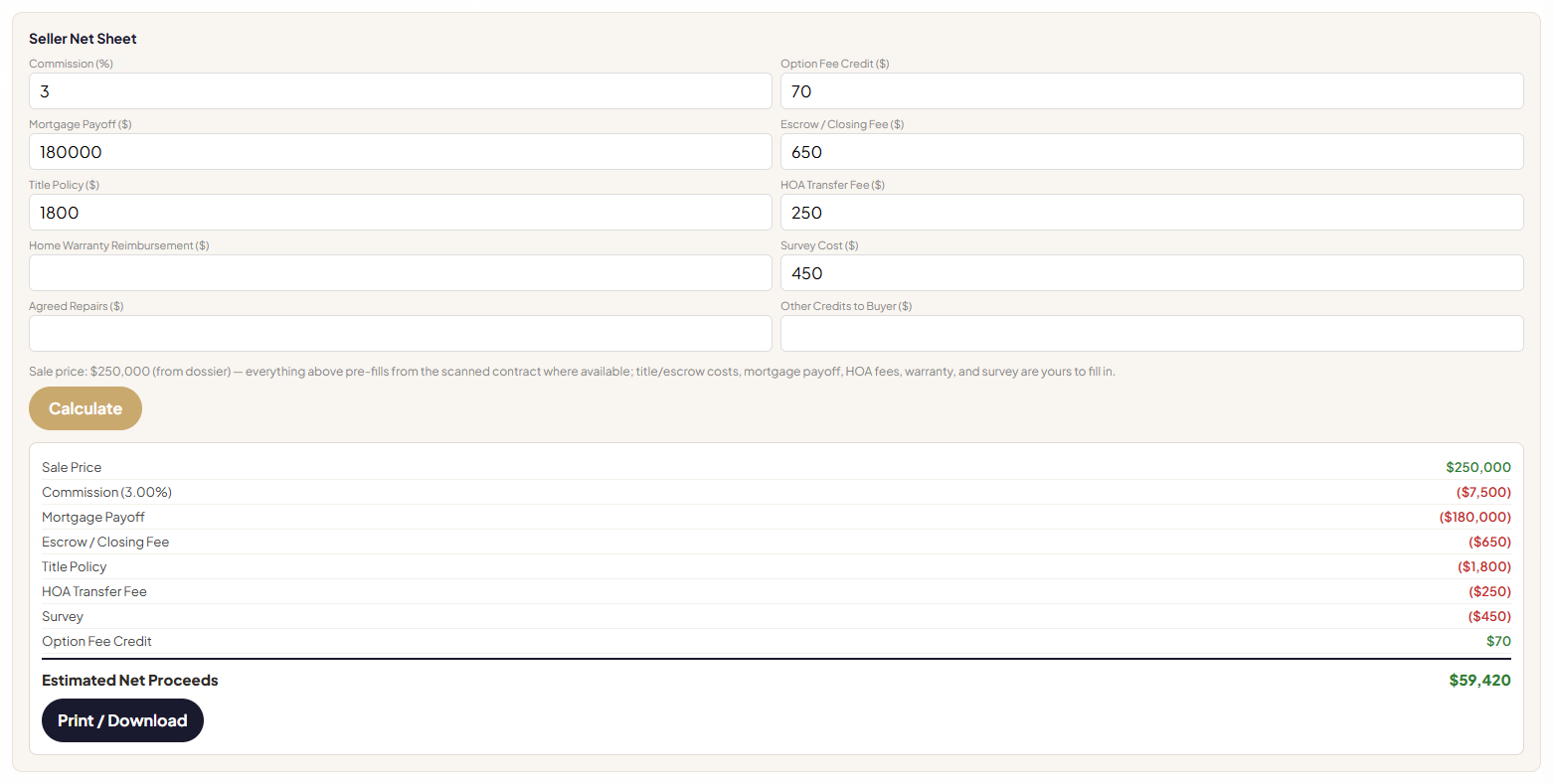
How Dossie Handles Seller Net Sheets
Sale price and option fee pre-fill from the contract, commission from the dossier; Dossie calculates estimated seller net proceeds line by line.
Read →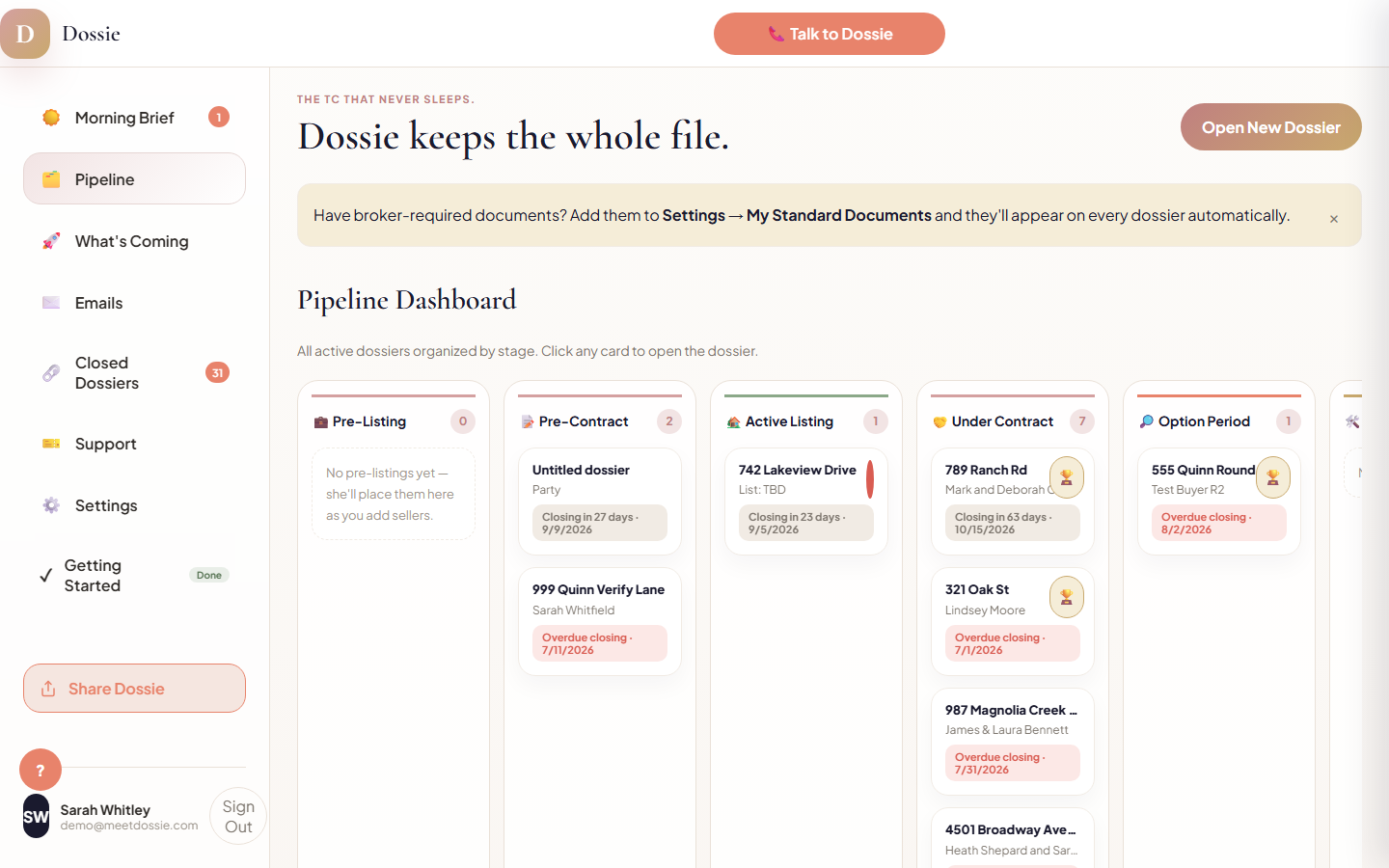
How Dossie Handles the Pipeline Dashboard
One board showing every active dossier organized by transaction stage, with overdue and upcoming deadlines flagged automatically.
Read →