Home · Features · How Dossie Handles E-Signatures
Product feature

How Dossie Handles E-Signatures

Pick the form, let Dossie prefill it from the dossier, send for signature. The executed copy lands back on the file when everyone has signed.

By Heath Shepard, Texas REALTOR® Updated 2026-10-25
meetdossie.com/workspace
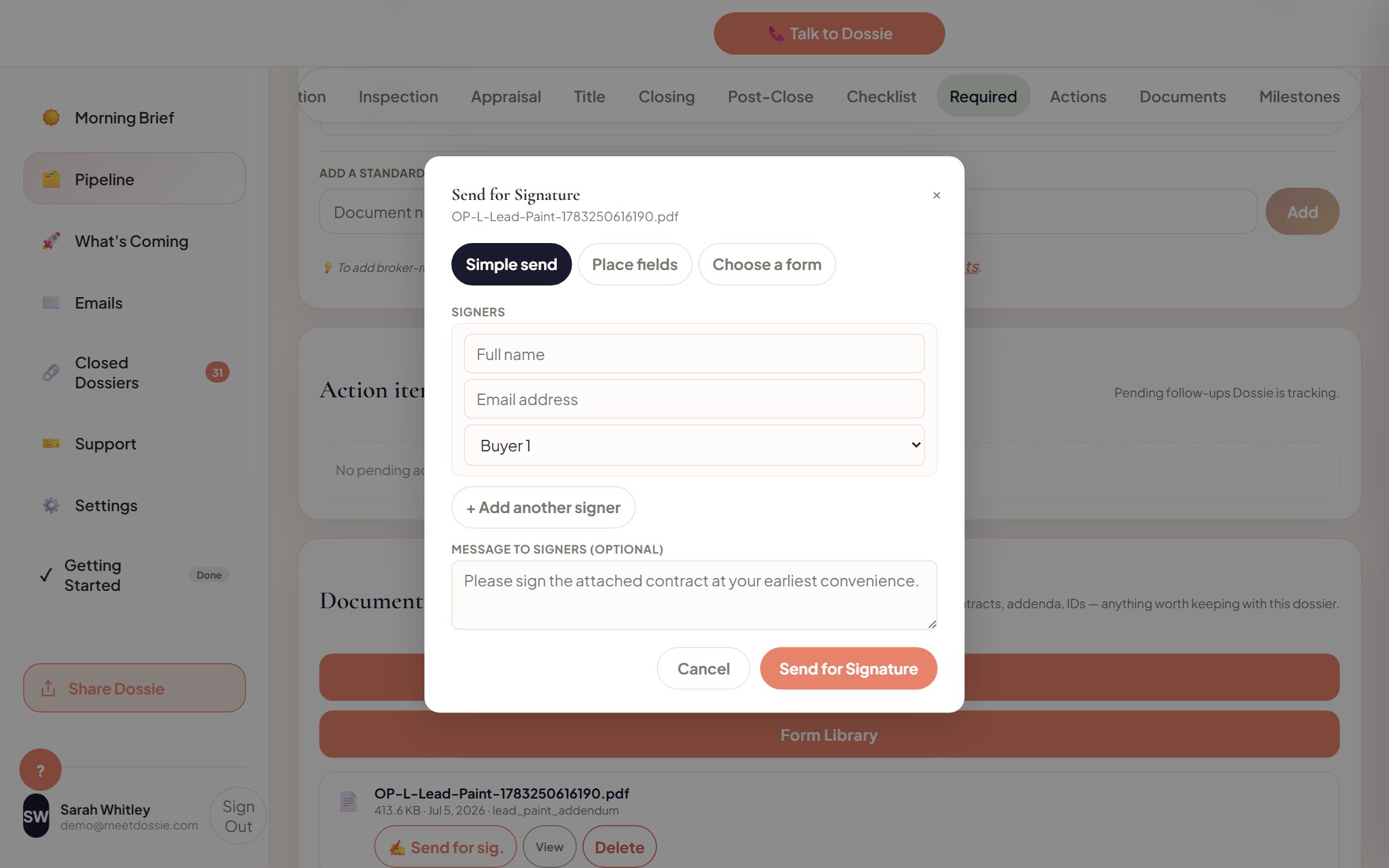
Sending a document for e-signature directly from Dossie

Send for Signature inside a dossier — signers and fields prefilled from the file.

DossieSign is Dossie's built-in e-signature, included with every plan. Open a dossier, pick the TREC form you need, and Dossie prefills it from what's already on the file — parties, property, dates, money. You review, fill any gaps, and send. Signers get a secure link, sign in their browser, and the executed PDF comes back to the dossier on its own.

1. Pick the form

From the dossier's Forms tab, choose the form or apply a Form Package. DossieSign covers the TREC One to Four Family contract (20-19), Third Party Financing Addendum (40-11), Amendment (39-11), HOA Addendum (36-11), Lender Appraisal Addendum (49-1), Lead-Based Paint Addendum (OP-L), and Seller's Disclosure Notice (OP-H).

2. Prefill from the dossier

Dossie already knows the buyer, the seller, the property, and the contract dates on a file, so the form arrives filled and the right signer is attached to the right role. You check it over and add anything the dossier didn't have.

3. Send, track, file

Each signer gets an emailed link and signs in the browser — no account to create. Dossie tracks who has signed, and when the last signature lands the executed PDF is filed back on the dossier with its signing certificate. On a fully executed contract, the other side's agent gets the executed copy emailed too.

No separate e-sign subscription, no per-envelope fee, no download-and-reupload. The signed copy goes where the deal already lives.

Fill it, send it, file it — from the dossier.

Contract scanning, TREC deadlines cited to the paragraph, drafted follow-ups, and e-signatures all live on the same file.

Start for $149/mo →

Frequently asked

Can I send a document for signature in Dossie today? +
Yes. Open the dossier, go to Forms, pick the form, review the prefilled fields, and tap Send for signature. It's included with every plan.
Does DossieSign cost extra? +
No. There's no per-envelope fee and no separate e-sign subscription — it's part of your Dossie plan.
Which forms can I send? +
TREC 20-19 One to Four Family contract, 40-11 Third Party Financing Addendum, 39-11 Amendment, 36-11 HOA Addendum, 49-1 Lender Appraisal Addendum, OP-L Lead-Based Paint Addendum, and OP-H Seller's Disclosure Notice. Retired form versions are blocked so you can't send an out-of-date form by accident.
Will signers need a separate e-signature account? +
No. Signers get a link by email and sign in their browser. Dossie runs the signing on DocuSeal behind the scenes — there's no second tool for you or your clients to log into.