Home · Features · How Dossie Handles Closing Milestones
Product feature

How Dossie Handles Closing Milestones

Under Contract. Clear to Close. Closed. Every real milestone becomes a beautiful, branded card — built to share, not just to file away.

By Heath Shepard, Texas REALTOR® Updated 2026-08-07
meetdossie.com/workspace
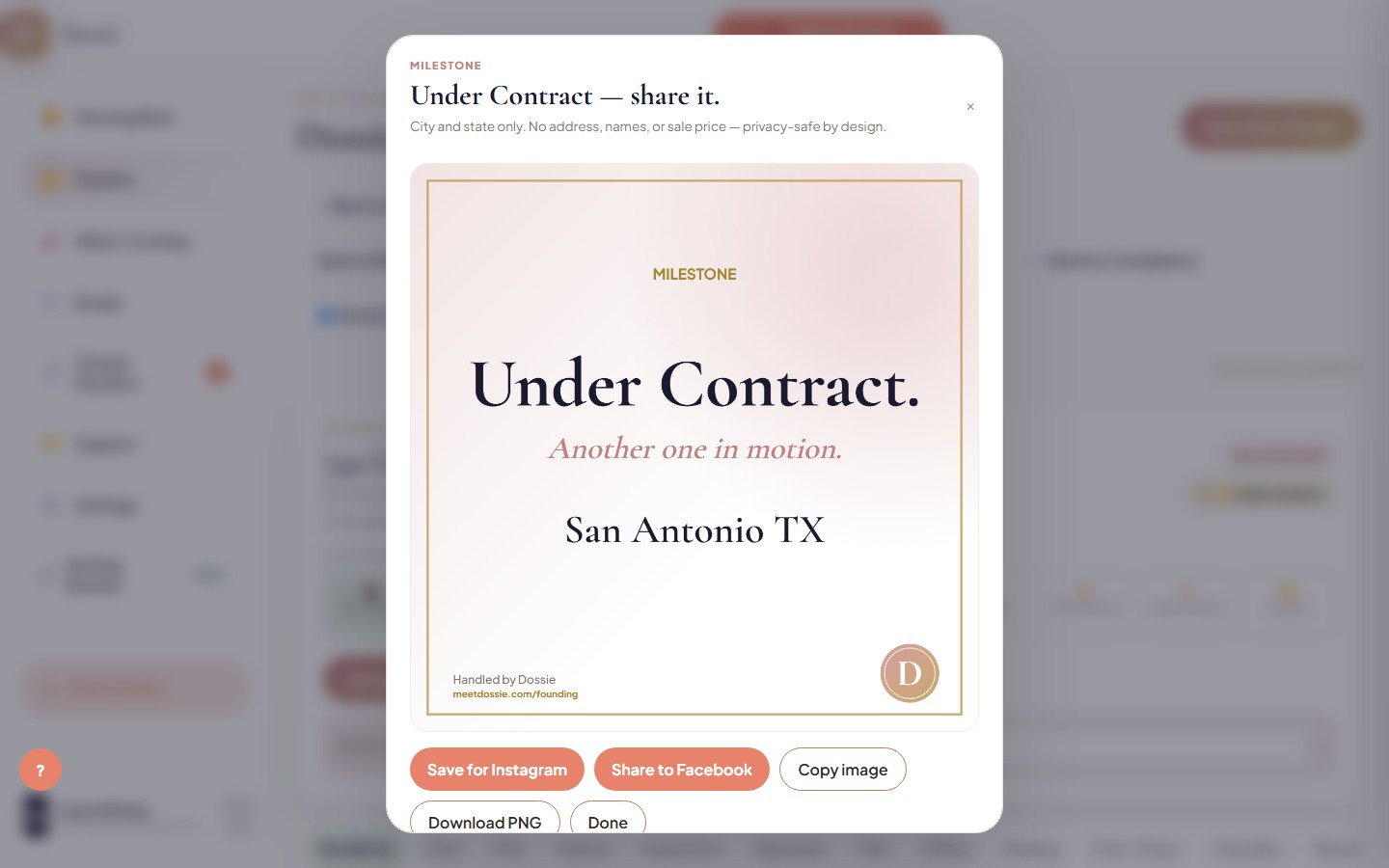
Dossie's shareable closing milestone card, generated automatically the moment a dossier moves to Under Contract

The Under Contract card, mid-celebration — city and state only, ready to post.

Moving a deal forward is worth celebrating — and worth marketing. The moment a dossier crosses into Under Contract, Clear to Close, or Closed, Dossie draws a branded 1080×1080 card on the spot: no designer, no Canva template, no remembering to make one before the moment's gone.

1. Move the stage

Advance a dossier — or manually move it — into Under Contract, Clear to Close, or Closed, the same way you already track the deal.

2. The card draws itself

Dossie pops a celebration card built for that exact milestone: headline, subhead, city and state, gold border, Dossie mark — all on-brand, no template to fill in.

3. Share it in one click

Share straight to Instagram or Facebook, copy the image, or download the PNG — the card is also saved to the dossier's Milestones tab so it's never lost.

Privacy-safe by design: the card shows only city and state — never the buyer or seller's name, never the street address, never the sale price.

Turn your next closing into a post.

Dossie generates a branded, shareable card the moment a deal hits a real milestone — built for Texas agents.

Start for $149/mo →

Frequently asked

Which milestones generate a shareable card? +
Three: Under Contract, Clear to Close, and Closed. Each has its own headline and subhead, drawn fresh every time a dossier reaches that stage.
Is any private deal information shown on the card? +
No. The card shows only the property's city and state — never buyer or seller names, the street address, or the sale price. It's built to be safe to post publicly.
Where do past milestone cards go after I share them? +
Every card is saved to that dossier's Milestones section automatically, so you can reopen, re-download, or re-share it later without redoing the work.
Can I share the card from my phone? +
Yes — on mobile, the share buttons open your device's native share sheet straight to Instagram or Facebook. On desktop, Dossie downloads the PNG so you can attach it yourself.