Home · Features · How Dossie Handles Contract Scanning
Product feature

How Dossie Handles Contract Scanning

Upload any TREC contract. Dossie reads the whole thing in about 8 seconds — and tells you exactly what's still missing before your client does.

By Heath Shepard, Texas REALTOR® Updated 2026-08-07
meetdossie.com/workspace
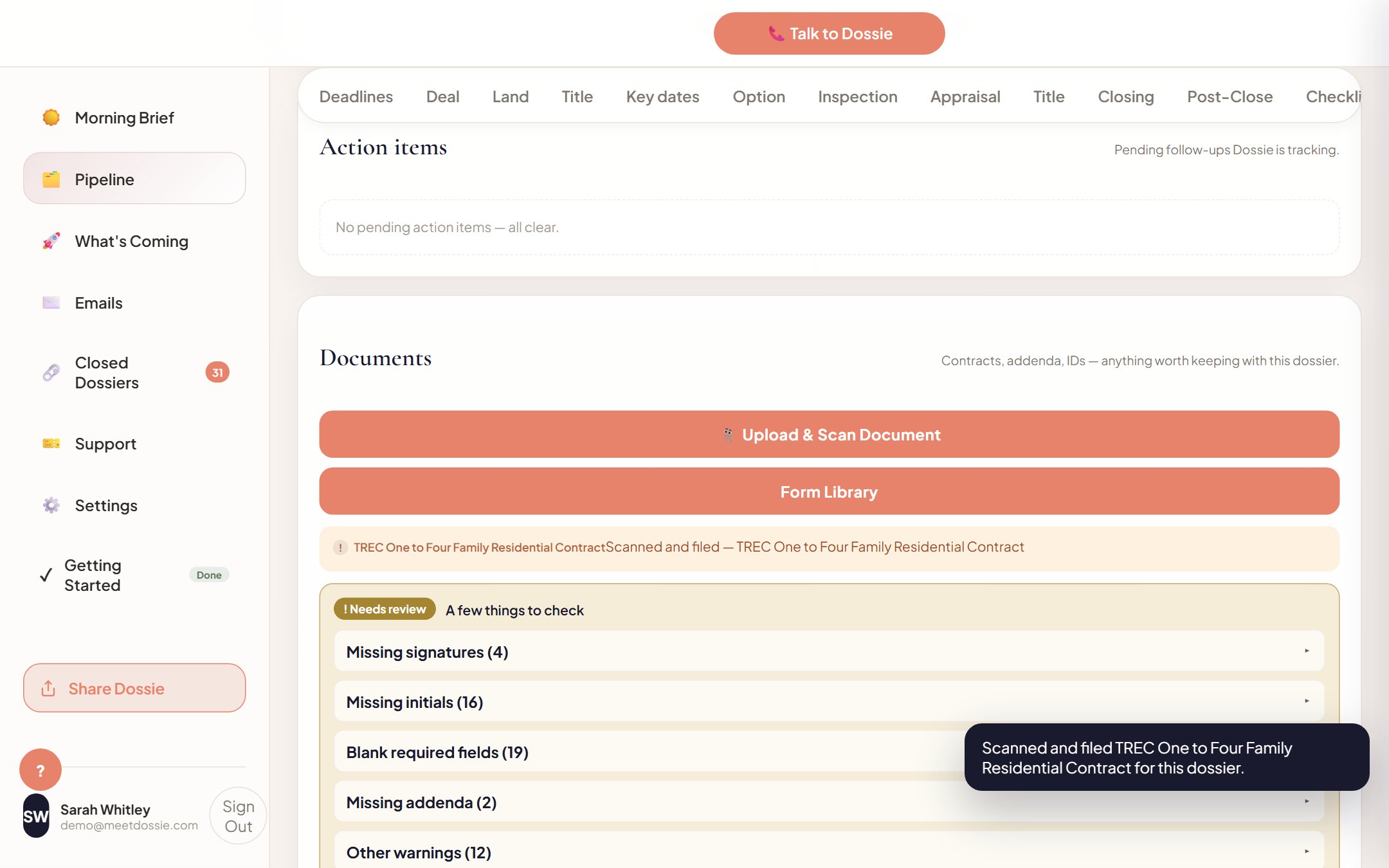
Dossie scanning a TREC contract and flagging missing signatures, initials, and blank required fields

The 8-second scan, mid-flight — needs-review flags on the right.

Drop in a signed TREC contract — PDF or photo — and Dossie reads the whole thing: price, dates, parties, addenda, every field. No retyping, no re-keying deal terms from a scanned PDF into a spreadsheet.

1. Upload

Drag in the executed contract. Any TREC form, any scan quality — a phone photo works as well as a clean PDF export.

2. Auto-fill

Dossie extracts every field into the dossier automatically: sales price, effective date, option fee, financing type, parties, every addendum attached.

3. Flag, don't guess

Missing signatures, missing initials, and blank required fields get marked Needs review — Dossie never assumes a page is complete just because it's present.

Dossie never guesses that a signature is there. If a page is missing an initial, it tells you before your client does.

Stop re-keying contract data by hand.

Dossie scans, extracts, and flags every file the moment it's uploaded — built for Texas agents.

Start for $149/mo →

Frequently asked

What file types does Dossie's contract scan accept? +
PDF and common image formats (JPG, PNG) — including phone photos of a signed contract. Scan quality doesn't need to be perfect.
What does Dossie flag as "Needs review"? +
Missing signatures, missing initials on individual pages, and blank required fields. Dossie surfaces these instead of silently treating the contract as complete.