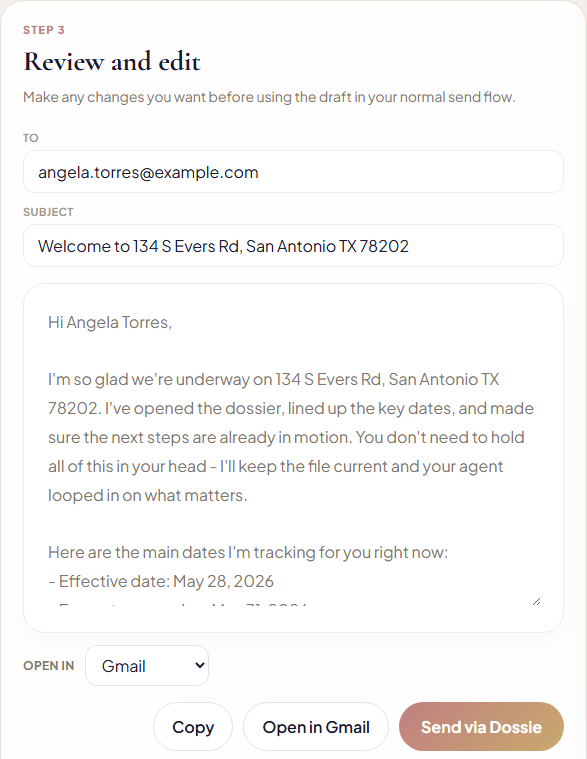
Every file needs a string of the same emails - welcome the client, loop in the lender, remind everyone the option period is closing, confirm clear to close. Dossie tracks which of those a file needs next and writes the first draft itself, pulling the property address, the buyer or seller's name, and every date straight off the contract Dossie already scanned. Nothing sends on its own - review it, edit it, then send it from your own inbox.
1. Dossie queues what's next
Based on the stage and timing of each file, Dossie surfaces the drafts that should be prepared now - grouped by dossier, with the reason it's queued right there next to it.
2. Choose a dossier and a template
Eight templates cover the life of a file - welcome email, lender introduction, title company order, option period reminder, financing deadline reminder, clear to close, closing day, and post-closing thank you.
3. Review, edit, and send
Subject and body arrive pre-filled from the dossier - property address, contract dates, and the client's name already in place. Edit anything, then Copy, open it in Gmail/Outlook/Apple Mail, or send it straight from Dossie - either way it's logged to the dossier's history.